The Government of Pakistan has introduced a new digital service to simplify public processes. In collaboration with NADRA’s Excise Taxation and Anti-Narcotics Control Department and the Punjab Government, the Biometric Verification for Punjab Registered Vehicles feature is now available on the Pak ID mobile app. This service allows vehicle buyers and sellers to complete ownership transfers securely and efficiently using their smartphones.
With this digital system, vehicle transfers are faster, safer, and free from unnecessary paperwork or multiple office visits. This guide explains every step so you can easily use the Biometric Verification for Punjab Registered Vehicles service.
What is Biometric Verification for Punjab Registered Vehicles?
Biometric Verification for Punjab Registered Vehicles is a feature on the Pak ID app that ensures secure ownership transfers. Using facial recognition and fingerprints, buyers and sellers can verify identities digitally.
Benefits include:
Safe and secure identity verification
Reduced risk of fraud
Quick processing
Transparent records
Complete digital documentation
Where to Access the Service
To start:
Open the Pak ID mobile app
Click on “Apply Digital Cards”
Select the “Vehicle” option
A list of all vehicles registered in your name will appear. You can choose the vehicle you want to transfer from this list.
Step-by-Step Process for the Seller
Select the Vehicle
Click “Transfer Now” for the vehicle you wish to sell.
Complete Facial Verification
Tap “Verify Application Facial”
Choose front or back camera
Take a photo in a well-lit area with a plain white background
Remove glasses and ensure your face is fully visible
Keep still until the circle turns green
Once the green circle appears, your facial verification is complete.
Edit or Adjust the Photo (If Needed)
Options include:
Default photo (no changes)
Crop or resize manually
3×4 automatic resizing
Rotate to straighten
Adjust brightness and contrast
Save changes and click Next.
Fingerprint Verification
Tap “Verify Applicant Fingerprints”
Follow app instructions carefully
Complete fingerprint scanning for verification
Enter Buyer Details
Input purchaser’s CNIC
Choose “Executive” under processing category
Review transfer fee displayed by the system
Submit the application
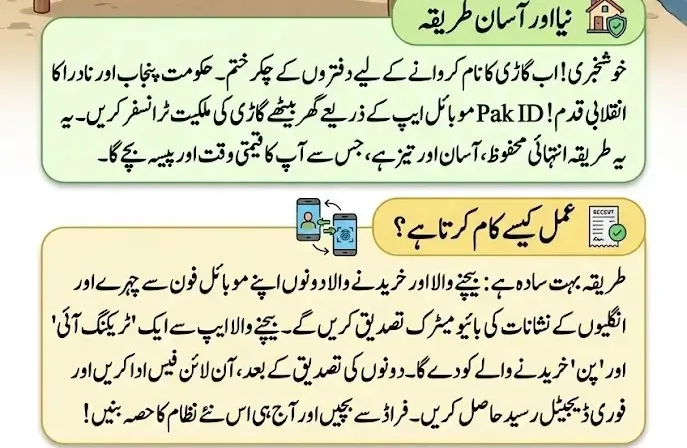
Share Tracking ID and PIN
After submission, a Tracking ID and PIN appear on the home screen. Share these with the buyer to continue the process.
Step-by-Step Process for the Buyer
Log into Pak ID App
Open the app
Go to Government Services
Select “Vehicle Transfer”
Enter Tracking Details
Input Tracking ID and PIN received from seller
Tap “Get Details”
Verify vehicle information on the screen
Complete Biometric Verification
Perform facial verification
Complete fingerprint verification
Click Done
The application status for the seller updates automatically.
Application Approval and Fee Payment
Approval Notification
Once approved, the seller sees the updated status
A “Pay Now” option appears next to the application
Payment Methods
You can pay via:
e-Sahulat
JazzCash
EasyPaisa
Debit or Credit Card
Complete payment through your preferred method. The official NADRA YouTube channel provides video guidance for detailed steps.
Downloading the Biometric Receipt
After payment, go to “ID Vault”
Download the receipt under My Documents → Vehicle Transfer
This receipt confirms successful Biometric Verification
Benefits of Biometric Verification for Punjab Registered Vehicles
Safe and verified ownership transfer
Protection against fraud
Transparent process
Time-saving digital service
Track application status easily
Digital receipt storage
This system highlights the government’s effort to improve digital services for citizens of Punjab.
Final Thoughts
Biometric Verification via the Pak ID app transforms vehicle ownership transfer into a simpler, faster, and safer experience. By following this guide, both sellers and buyers can complete the process confidently. Using this system ensures a secure and convenient vehicle transfer for Punjab-registered vehicles in 2026.
FAQs
How do I start the vehicle transfer process on Pak ID?
Open Pak ID app → Apply Digital Cards → Vehicle → Select your vehicle.
Is biometric verification mandatory?
Yes, it ensures secure and fraud-free transfers.
Can I edit my photo during verification?
Yes, the app provides crop, resize, and brightness adjustment options.
What payment methods are accepted?
e-Sahulat, JazzCash, EasyPaisa, Debit Card, Credit Card.
Where can I download my receipt?
ID Vault → My Documents → Vehicle Transfer Subfolder.
Punjab Vehicle Biometric Verification
برائے مہربانی اپنی معلومات درست اور مکمل فراہم کریں۔